
AI spots what you can't.
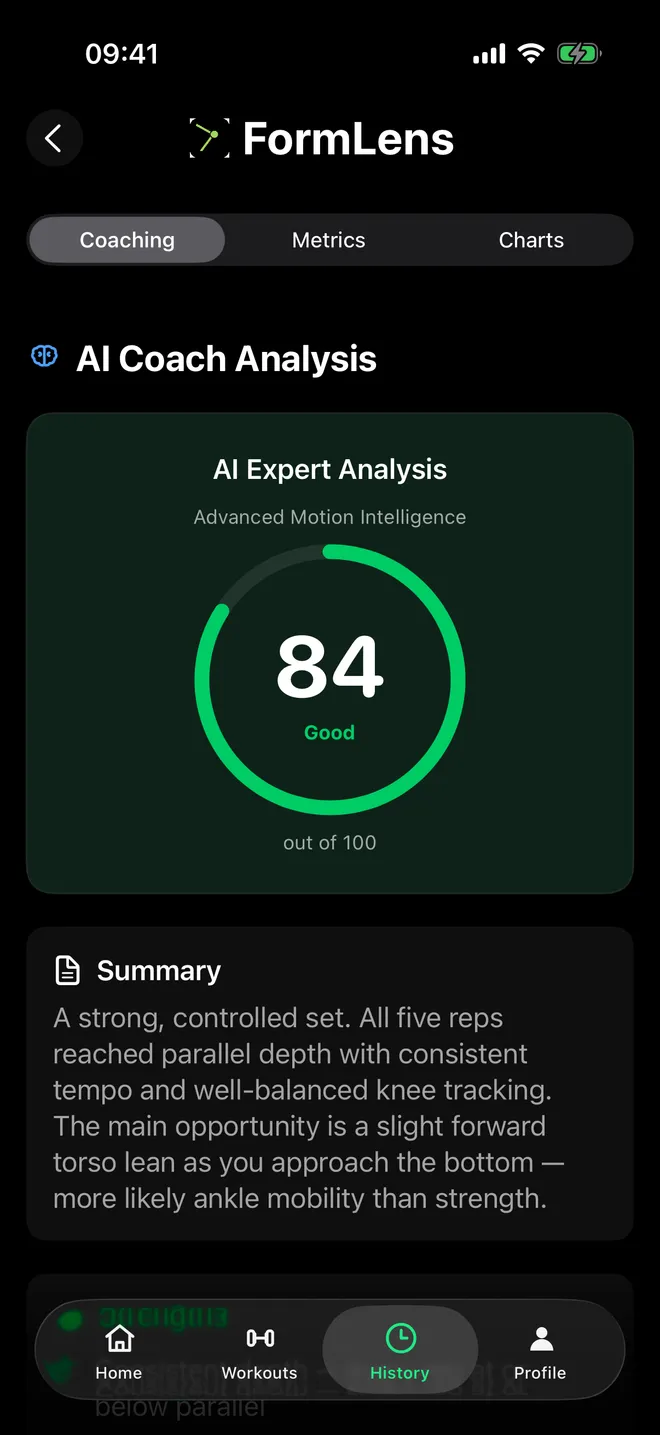
Film your squat, bench, deadlift, overhead press or run and get a 0–100 form score with the fix — depth, symmetry and joint angles, measured, not guessed.
Free on iPhone · iOS 17.6+
- Video never leaves your phone
- Just your iPhone camera
 Scan to get it on your iPhone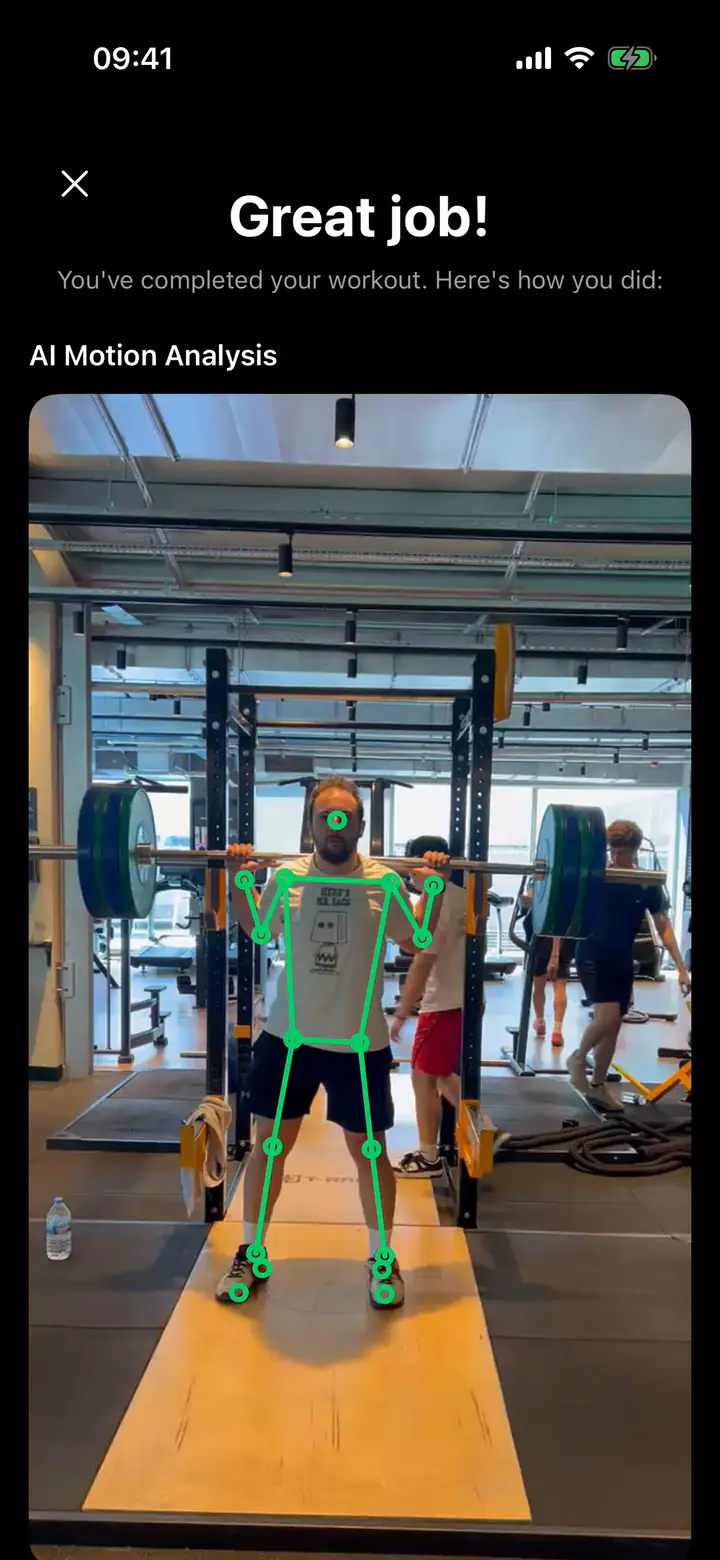
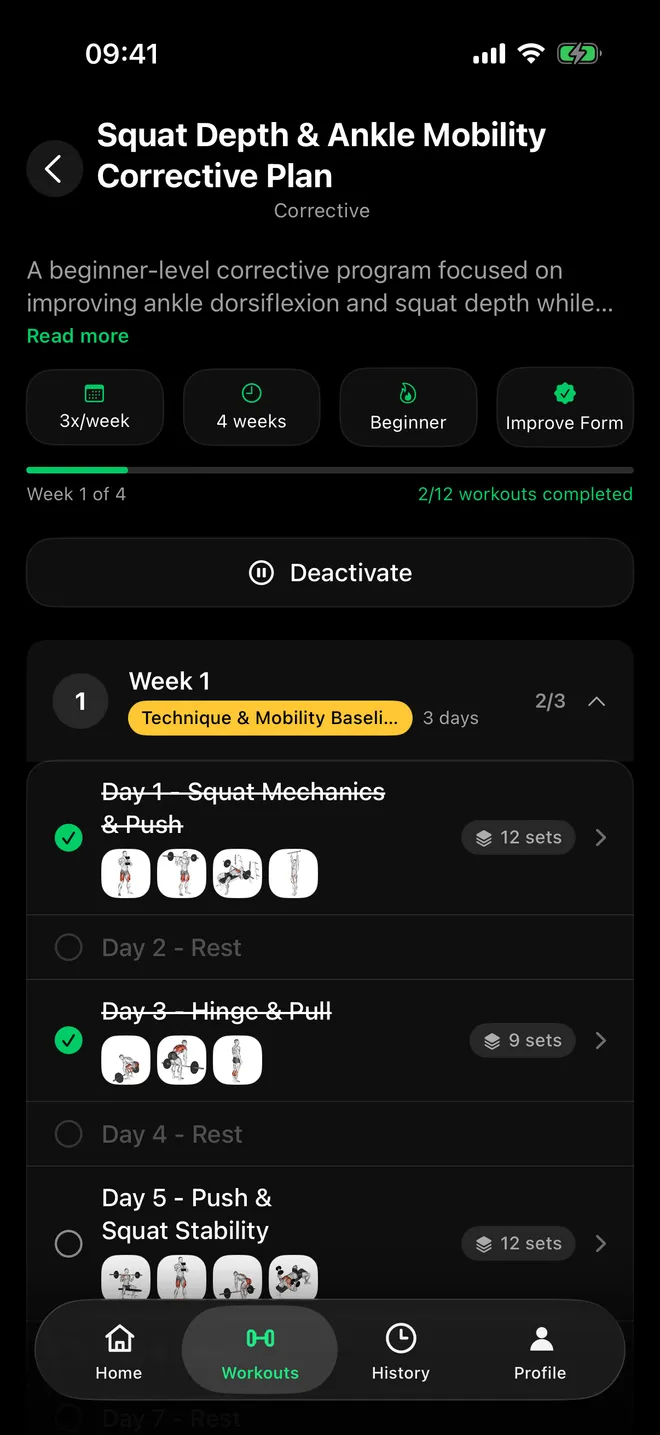
A plan to fix itCorrective plans built from your weak points. 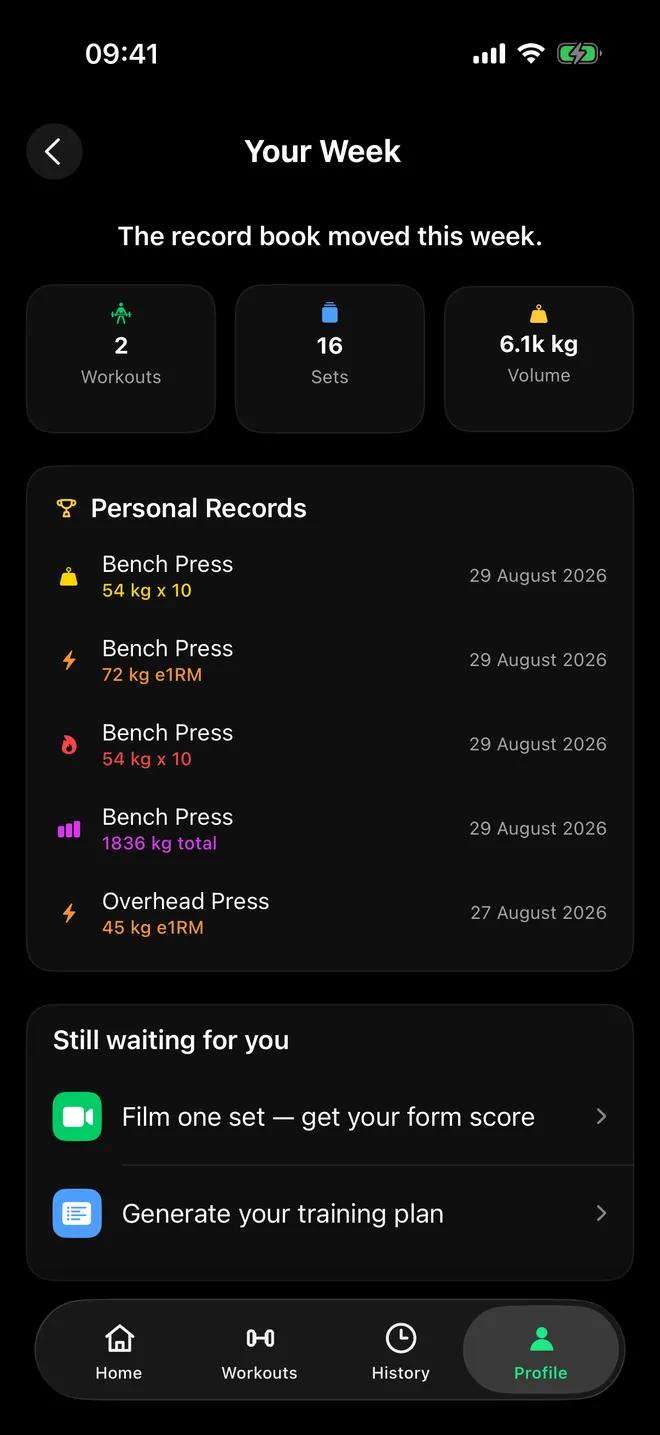
Your week, on the boardWorkouts and records — with honest next steps. 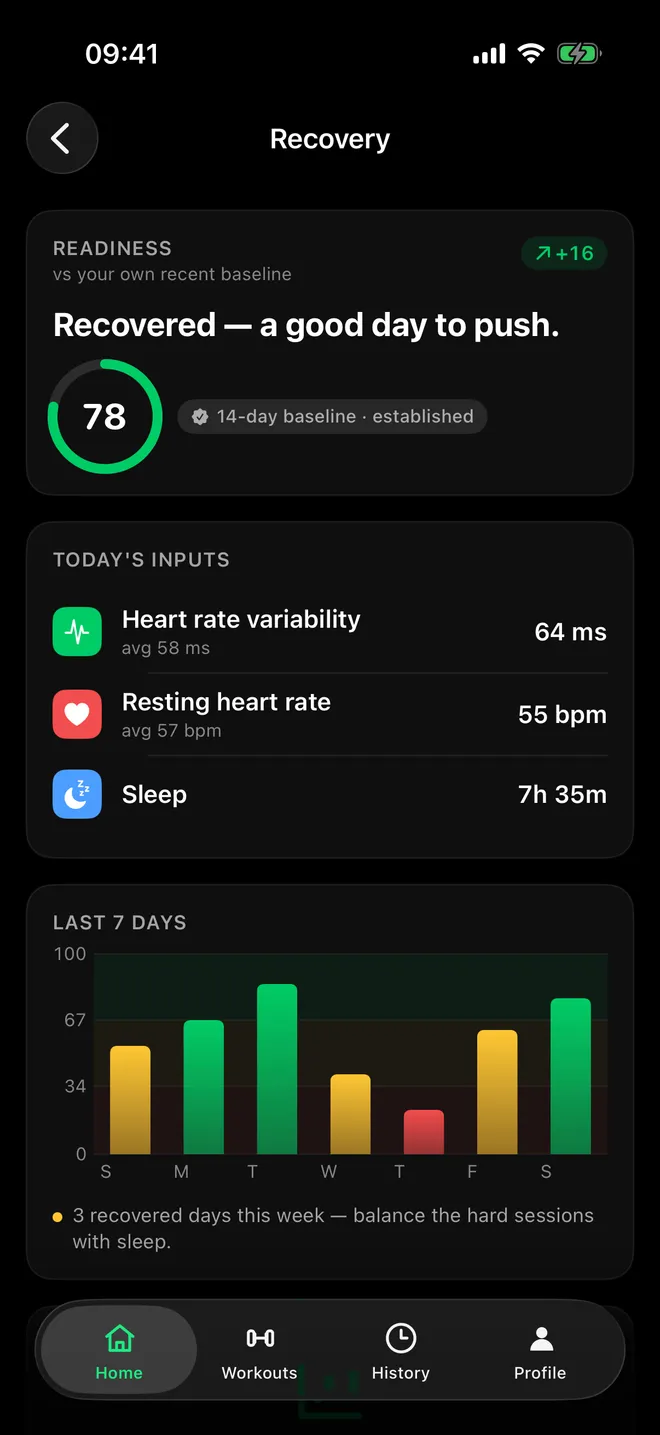
Train when you're readyReadiness from your sleep, HRV and resting heart rate. 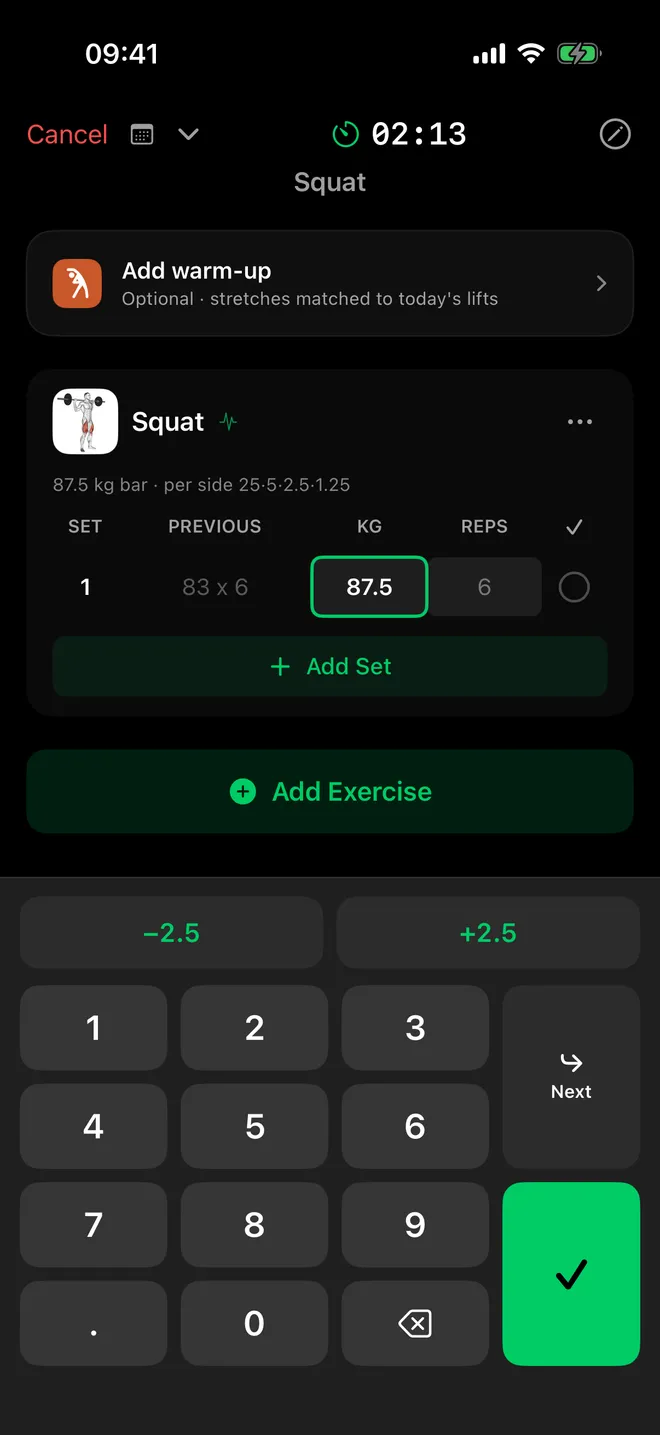
Log sets in secondsPlate math included — what goes on the bar. 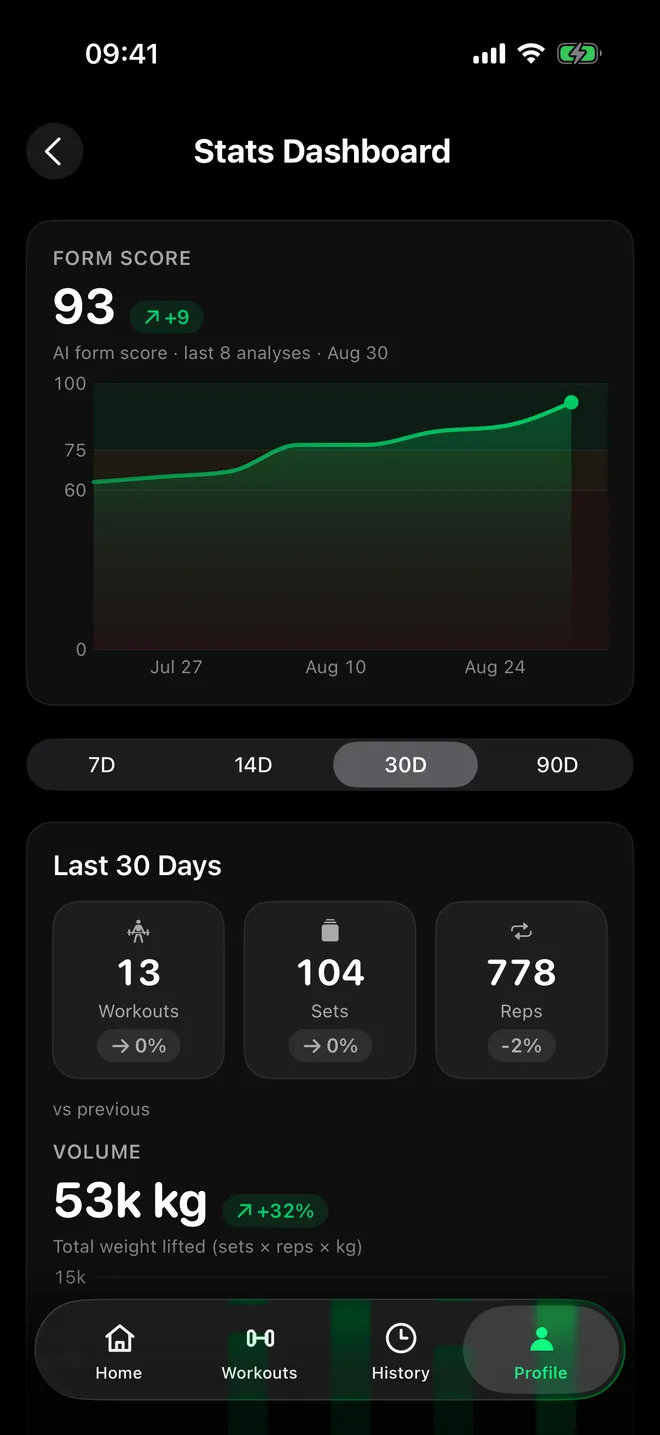
Watch your form improveYour form score, analysis by analysis. 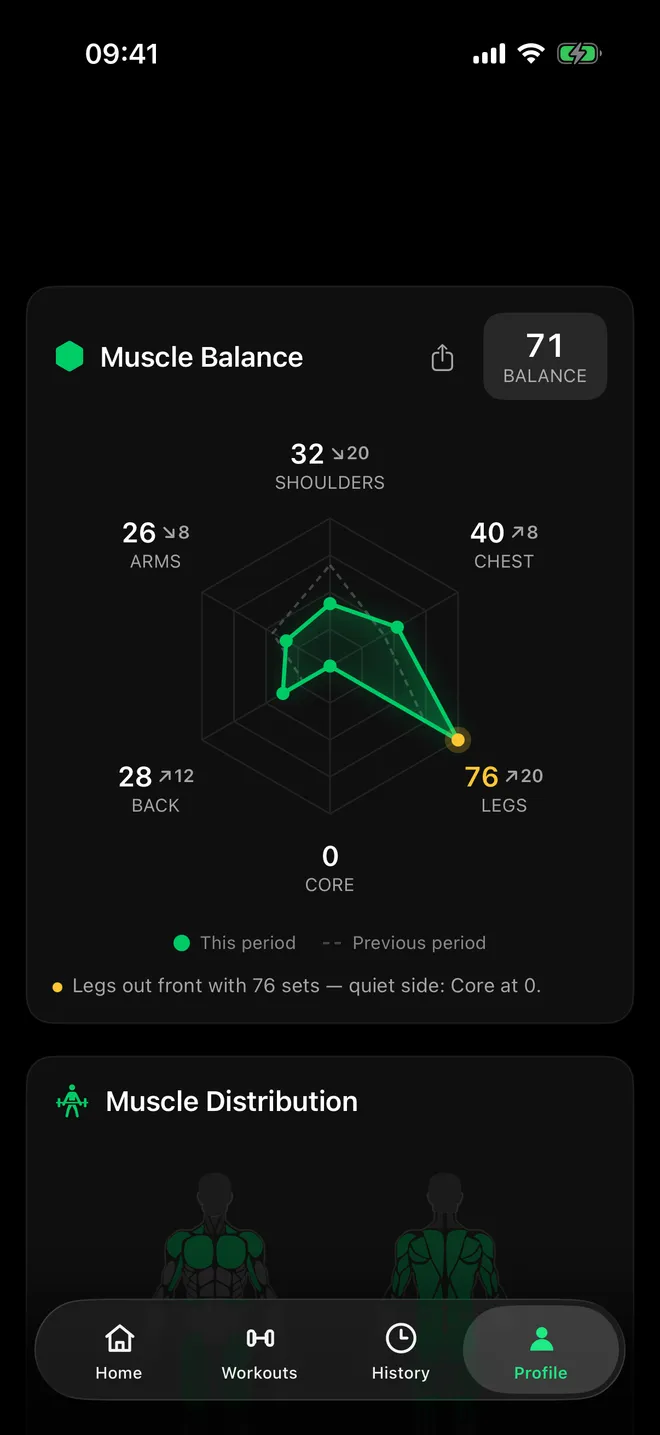
Know what you trainedMuscle Balance: this period vs last, at a glance.
Swipe to explore the app
From the App Store
What early users are saying
Knee angle
85°
Depth reached — under 90°
L/R difference
3°
Balanced — under 10°
How it works
Film a set. Get a score and the fix.
Film your squat, bench, deadlift, overhead press or run with your iPhone — no sensors, no straps. FormLens gives you a 0–100 form score and the one fix that matters.
Get your score
A 0–100 score for the set, with rep-by-rep measurements and plain-language coaching.
Fix it
Work on the cue, film again, and watch your form-score trend move.
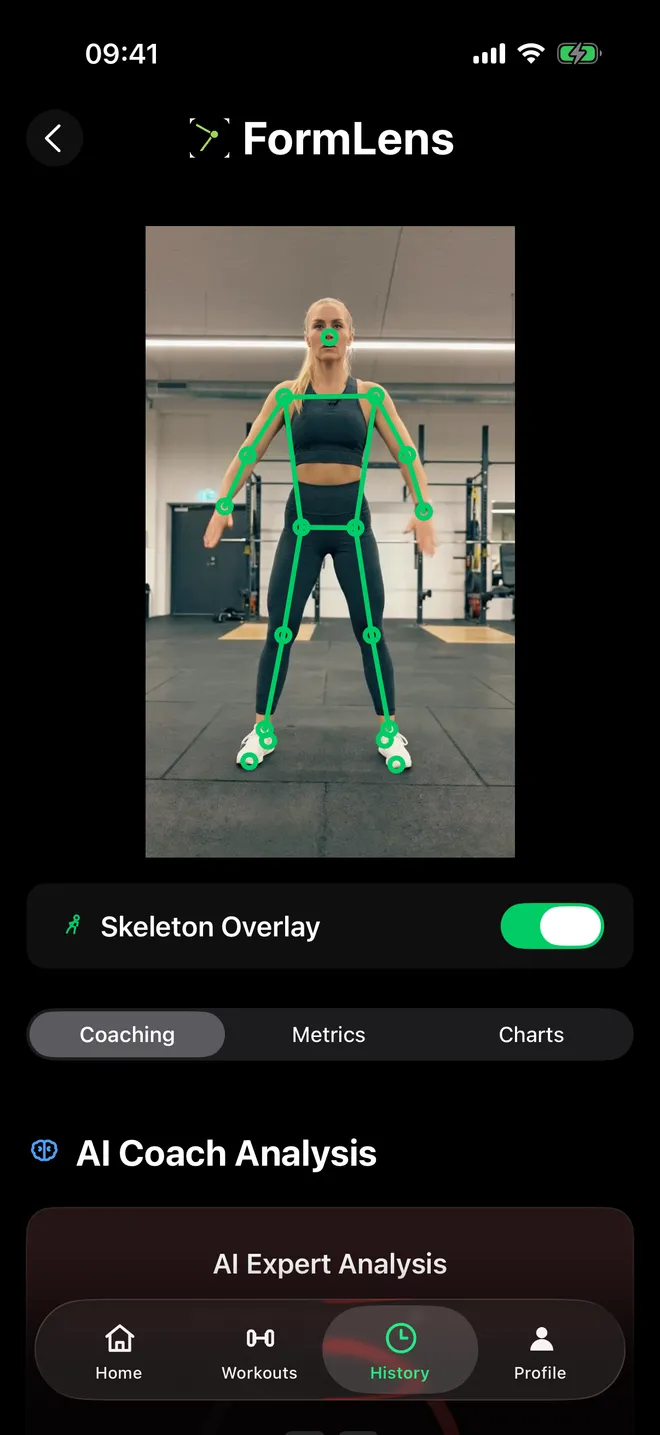
- Your videoStays on your phone
- Joint positionsSent as numbers for coaching
Measured, not guessed
Most apps log what you did. FormLens sees how you moved.
Depth, angles and symmetry are measured from your video, and the AI coach turns those numbers into your score and coaching.
- Joint angles measured rep by rep, plus a skeleton overlay on your own video
- Depth and left/right balance on squat and bench
Your workout videos never leave your phone.
FormLens reads joint positions from the video on your device and sends only those numbers for coaching — never the video, never a photo.
Details in our Privacy PolicyProgress you can read
Watch your form improve.
Your form-score trend shows which zone each analysis landed in. Muscle Balance shows what you trained this period against the last.
- Form-score trend with zones
- Muscle Balance radar: this period vs last
- PRs, streaks and exercise progress charts
- Every analysis saved to History — and VoiceOver reads your charts
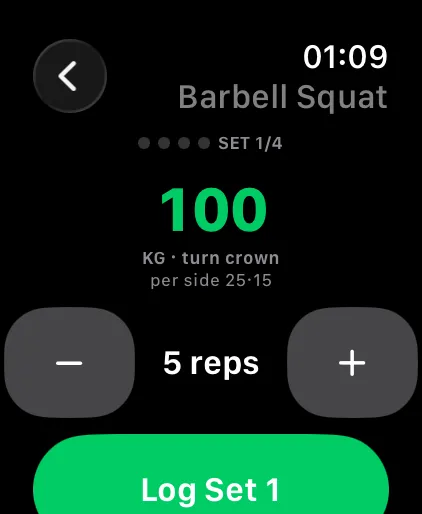
A complete gym log
Log sets in seconds.
Fast, familiar logging: sets, reps, weight and RPE, with last session's numbers ghosted in.
- Smart weight suggestions, a warm-up ramp and a plate calculator
- Supersets, and a rest timer on your Lock Screen and Dynamic Island
- Apple Watch: log set → rest → next, hands-free with the crown — plus live heart rate and “Siri, start today's workout”
- Import your history from Hevy or Strong in one tap — and export yours any time
- Train in kg or lbs — your choice, applied everywhere
Apple Watch is optional — form analysis needs only your iPhone camera.
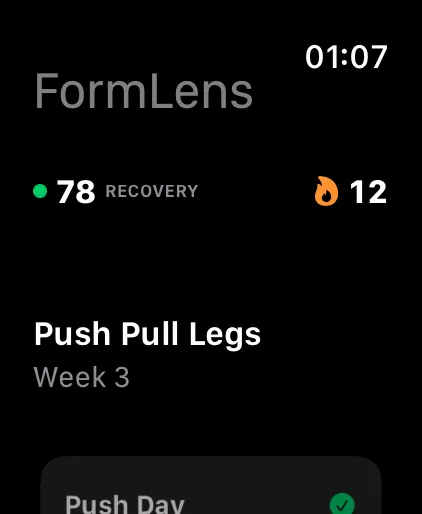
Recovery & readiness
Train when you're ready.
A readiness score from your sleep, HRV and resting heart rate (Apple Health), on your iPhone and your wrist.
- Today's readiness score, from Apple Health
- Recovery trends and baselines Pro
- See how recovery affects your form — an insight built from your own form scores Pro
- Bodyweight, body measurements and progress photos in one place
Also in FormLens
AI training plans Pro
Multi-week plans built around your goals, equipment and strength.
Corrective plans Pro
A multi-week plan built from your measured weak points.
6 languages
The app in English, German, Spanish, French, Portuguese and Turkish.
All in one
Form check and a full gym log — in one app
Most workout trackers only tell you how much you lifted. FormLens tells you how well you lifted.
| Capability | FormLens | Typical logging apps |
|---|---|---|
| AI form analysis from video | Included | Not included |
| Workout logging, history & PRs | Included | Included |
| Corrective plans from your measured weak points | Included | Not included |
The science
Grounded in movement science
Research behind what FormLens measures.
These studies support the principles behind FormLens; they are not studies of the app itself. FormLens is a training aid — not a medical device or a substitute for professional medical or coaching advice.
Pricing
Start free. Upgrade when you're ready.
One full AI analysis every month on the free plan. Go Pro for unlimited analyses, AI plans and recovery trends.
Free
Start checking your form today.
One full AI analysis every month
- 1 full AI form analysis / month
- Unlimited workout logging
- PRs, history & progress charts
- Today's readiness score (Apple Health)
- Exercise library
Pro
Unlimited analysis + AI plans.
7-day free trial for new subscribers, then $44.99/year ($3.75/mo)
Also $9.99/month or $4.99/week (no free trial)
- Unlimited AI form analyses & coaching
- AI-generated multi-week plans
- Corrective plans from your weak points
- Recovery trends & baselines (Apple Health)
- How recovery affects your form (Apple Health)
- Everything in Free
Pro is purchased in the app. Subscriptions renew automatically until cancelled; cancel anytime in your App Store account settings at least 24 hours before renewal. US prices shown (checked Oct 2026) — the App Store shows your local price.
Apple's Standard EULA (opens in new tab)Terms of UsePrivacy Policy
FAQ
Questions, answered
Which exercises does FormLens analyze?
Form analysis covers squat, bench press, deadlift, overhead press and running. You can log any other exercise too, with personal records and history.
How accurate is the form analysis?
FormLens measures joint angles from your video — plus depth and left/right symmetry on squat and bench — so the numbers are measured, not guessed. It's a single-camera estimate, so setup matters: film at the angle in our filming guide, whole body in frame, good light. Filming the same way each time keeps your trend comparable. It's a training aid, not a medical device.
How to film your liftsDo my videos get uploaded?
No. Your workout videos never leave your phone. FormLens reads joint positions from the video on your device and sends only those numbers for coaching — never the video, never a photo. Whether you film in the app or pick a clip you already have, the video stays on your phone. Your saved analysis history (scores, metrics and coaching text — not video) is kept on your phone too. FormLens has no social feed — nothing you film is posted anywhere unless you share a card yourself.
Details in our Privacy PolicyHow do I film a set?
Use the angle the app shows for each lift: squat and overhead press from the front, bench press from the foot of the bench, deadlift and running from the side. Keep your whole body in frame, hold the phone upright and steady at about hip height, and use good light.
Read the filming guideWhat's the difference between Free and Pro?
Free includes one full AI form analysis every month, unlimited workout logging, PRs, history and progress charts, today's readiness score and the exercise library. Pro unlocks unlimited AI form analyses and coaching, AI-generated multi-week plans, corrective plans from your weak points, and recovery trends — including how recovery affects your form (Apple Health).
How does the free trial work?
The 7-day free trial is on the yearly plan, for new subscribers. After the trial the subscription renews automatically unless you cancel in your App Store account settings at least 24 hours before it ends. The weekly and monthly plans start without a trial. The free plan includes one full AI analysis every month.
Do I need an Apple Watch or other wearable?
No. Form analysis needs only your iPhone camera — no sensors or straps. The Apple Watch app is optional: guided workouts on your wrist (log set → rest → next, hands-free with the crown), live heart rate, complications and “Siri, start today's workout.”
Can I bring my workouts from Hevy or Strong?
Yes. Import your history from a Hevy or Strong CSV export — exercises, notes and set types come across — and export yours as CSV any time. FormLens reads Hevy files with weights in kilograms and comma-separated Strong files, so check your file's first row before you import. You can train in kg or lbs; the whole app follows your choice, including Apple Watch.
How to import from Hevy or StrongWhat do I need to run FormLens?
An iPhone with iOS 17.6 or later. The optional Apple Watch app needs watchOS 10 or later. FormLens is free to download; Pro is an in-app subscription.
Is FormLens on Android?
Not yet — FormLens is for iPhone (iOS 17.6 or later), with an optional Apple Watch app.
What languages is the app in?
The app is available in English, German, Spanish, French, Portuguese and Turkish.
Know how well you lifted.
Film a set and get a 0–100 form score with the fix. Your workout videos never leave your phone.
 Scan to get it on your iPhone
Free on iPhone · iOS 17.6+